
Surfshark: Secure VPN service
Surfshark B.V.Tools
4.711.03K Reviews
- Version
- 3.32.0
- Installs
- 10.00M
- Age Rating
- Everyone
Screenshots
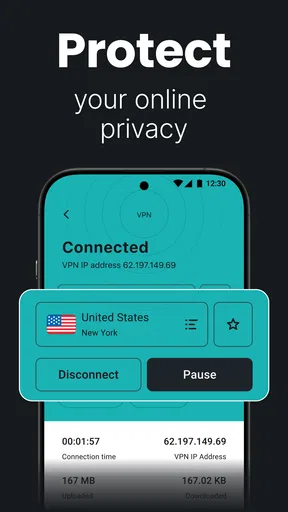
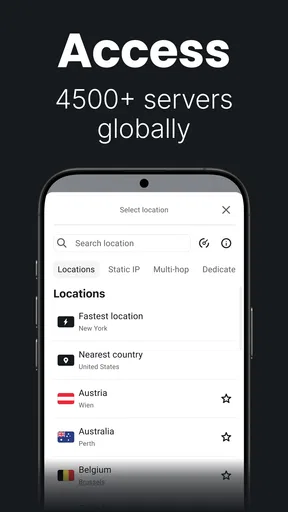
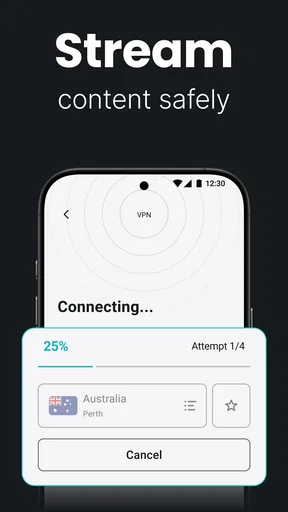
Our Review of Surfshark: Secure VPN service
 Analysis by Appyee
I notice Surfshark most in the moments when my phone changes networks: leaving home Wi-Fi, joining public Wi-Fi, or moving through an area where mobile reception is patchy. A VPN can help protect the traffic that passes through it, but it also depends on a working internet connection of its own. That makes this a practical privacy tool, not a way to make a weak signal strong or to keep browsing when the network has disappeared.
When the connection becomes part of the experience
For everyday browsing, I prefer a VPN that is easy to turn on before I need it. Surfshark is built around a quick connection flow, so it suits people who want a straightforward way to route their mobile internet through a VPN without learning networking jargon first. The trade-off is that another connection layer can sometimes make a slow or unstable network feel less forgiving: if a page stalls, I have to work out whether the cause is the Wi-Fi, the mobile signal, or the VPN connection.
That distinction matters when you are troubleshooting. If a page refuses to load, I would first check whether other apps can reach the internet, then try reconnecting to the VPN or selecting another available location. If the underlying connection itself is down, changing VPN settings will not restore it. I find this a useful mental model: the VPN can protect a connection, but it cannot replace one.
A realistic day on a phone
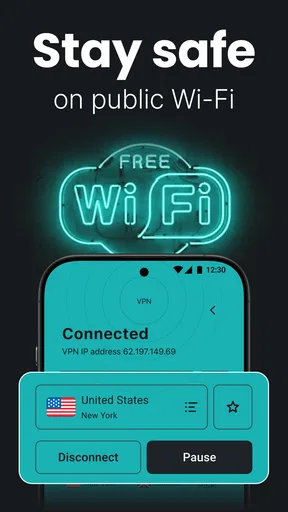
Imagine checking messages on a café’s public Wi-Fi, then walking outside and continuing on mobile data. I would connect the VPN before handling anything sensitive, keep it on as the network changes, and pay attention if the app shows that the connection needs attention. A banking app that behaves differently through the VPN may be a reason to use Whitelister for that specific app, rather than switching off protection for everything else. That targeted approach keeps the rest of my browsing covered while giving a local service room to work as expected.
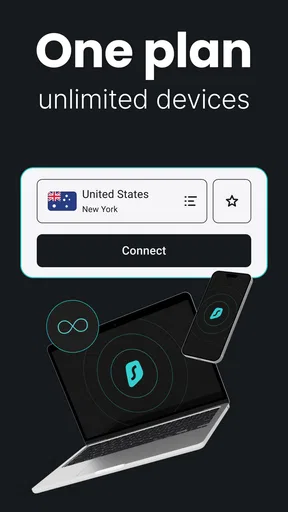
At home, the same app can be useful for a different reason: one account can cover a phone, tablet, and laptop instead of making me manage separate VPN subscriptions for each device. Surfshark’s store summary highlights unlimited devices, and that can be a meaningful convenience for a household with several personal screens. Still, “unlimited” does not remove the practical need to install and configure the app on each device you want protected. I would start with the devices I use away from home, then add the rest as needed.
What to do when things do not go smoothly
VPN troubleshooting is easiest when I change one thing at a time. First I check whether the internet works with the VPN disconnected; then I reconnect and, if needed, try a different server location. If a single app is the problem, Whitelister is more precise than leaving the VPN off across the whole phone. If the connection drops unexpectedly, a kill switch is intended to stop internet access rather than let traffic continue unprotected, but that protection can also make the phone appear offline until the VPN connection returns. For someone who needs constant access to a service, that is an important security-versus-convenience choice.
For a more privacy-focused session, MultiHop routes a connection through more than one country. I see that as an option for a particular situation, not a setting I would leave on automatically for every task: extra routing can mean extra complexity, and everyday browsing may not need it. Likewise, an ad- and tracker-blocking feature can make pages feel less cluttered, but if a site fails to behave normally, checking whether a privacy feature is involved is a sensible first step. Those small checks are more useful than assuming every loading problem is a speed issue.
Who will appreciate it, and who may not
I think Surfshark is best suited to people who want one mobile-friendly VPN app for routine browsing, public Wi-Fi, and several personal devices, with optional tools available when a specific need comes up. It is also approachable if you have never used a VPN: the basic action is clear, while features such as Whitelister and MultiHop give more experienced users room to make selective choices. Surfshark B.V. develops the app, which sits in the tools category rather than being a general-purpose security suite.
It may not be the right fit if you only want a free, occasional way to change your apparent location and do not want to create an account or consider a subscription. The app itself is free to download, but it offers in-app purchases, with listed item prices ranging from $0.99 to $119.99. I would check the current plan and renewal terms in the app before committing, rather than treating the download price as the full cost. If your only concern is blocking unwanted ads, a browser with built-in content controls may be simpler; if you need a VPN only on one device, a provider with a plan tailored to that use could be a better comparison.
How it compares with simpler alternatives
Compared with relying on a browser’s private mode, a VPN is aimed at a different part of the problem: private browsing mode mainly affects local browser history, while a VPN routes internet traffic through an encrypted connection. It also differs from installing a separate ad blocker, since Surfshark combines VPN access with additional privacy and security tools. That all-in-one approach is convenient, but it means the app may be more than you need if you have one narrow goal and already use a solution you trust.
I would not choose a VPN solely because a streaming catalogue might look different in another region. Services can change how they handle VPN traffic, and performance depends on the network and server route at the time. For reliable access to a particular account or service, I would test the ordinary connection first and keep Whitelister in mind if that app works better outside the VPN. The best setup is not necessarily the most complicated one; it is the one that protects the traffic you care about without disrupting the services you depend on.
Data-conscious habits and practical setup
A VPN does not make mobile data unlimited, and routing traffic through one does not remove the data used by video, downloads, or background apps. When I am on a limited plan, I would keep an eye on the phone’s own data-usage settings and avoid assuming that a privacy feature will reduce consumption. If a video stream is using too much data, changing video quality in the streaming app is the more direct fix. The VPN’s value is privacy and connection routing, not a substitute for managing data use.
For a less frustrating first session, I would install Surfshark, sign in, connect on a trusted network, and test the handful of apps I rely on most: messages, maps, banking, and any work tools. If one app has trouble, I would adjust access for that app rather than weakening the setup everywhere. I would also learn where the kill switch and server selection controls are before travelling; finding them while dealing with poor reception is an unnecessary hassle. This small bit of preparation makes the app easier to use when a network change actually matters.
Surfshark is rated 4.6 on average from around 232,000 ratings, and it has more than 10 million installs. It is free to download, rated for everyone, and version 3.25.0 requires Android 6.0 or later. Those details make it easy to judge whether it is likely to fit an Android device, while the app is also available for iOS. I would still treat a rating as a broad signal rather than a guarantee that every network, phone, or service will behave the same way.
What Exactly is Surfshark?
Alright, so Surfshark is a VPN service that promises to keep your online activity private and secure. It’s available on both Android and iOS, which is a win-win if you’re jumping between devices. The app is designed to mask your IP address, encrypt your internet traffic, and keep you safe from prying eyes.
Setting It Up: Easy Peasy
Setting up the app was a breeze. I just headed to the App Store, downloaded it, and voila! The app walks you through the setup process, and trust me, it’s as straightforward as it gets. You’ll need to create an account, but that’s pretty standard fare.
One thing I loved was the clean and intuitive interface. I’m not exactly a tech wizard, but navigating through the app felt like a walk in the park. You can connect to a server with just a tap, and there are a bunch of locations to choose from.
Features That Stand Out
Now, let’s dive into what makes Surfshark tick. Here’s what caught my eye:
- Unlimited Devices: Unlike some other VPNs, Surfshark lets you connect as many devices as you want. So, if you’re like me and have a phone, tablet, and laptop, you’re covered.
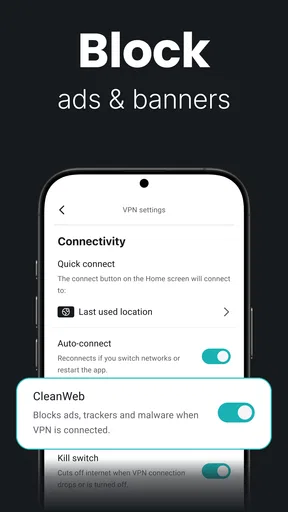
- CleanWeb: This feature blocks ads, trackers, and malware. It’s like having a mini security guard whenever you’re online.
- Whitelister: Handy if you want some apps or websites to bypass the VPN. Perfect for when I need my banking app to connect locally.
- MultiHop: For extra security, you can connect via multiple countries. It’s like a double layer of privacy.
Performance: Does It Deliver?
When it comes to performance, Surfshark didn’t disappoint. I tested it with streaming services, and there was barely any buffering. Watching shows on Netflix from different regions was smooth sailing. Plus, the connection speed was top-notch, which is a big plus.
I did a couple of speed tests, and while there was a slight dip in speed (as expected with any VPN), it wasn’t anything deal-breaking. My regular browsing and streaming didn’t take a hit.
Privacy and Security: Keeping You Safe
The whole point of a VPN is security, right? Surfshark utilizes AES-256 encryption, which is fancy talk for top-notch security. They also have a strict no-logs policy, meaning they don’t keep tabs on what you’re doing online. It’s like the online equivalent of "what happens in Vegas, stays in Vegas."
There’s also a kill switch feature, which automatically disconnects your internet if the VPN connection drops. It’s a neat feature that ensures your data isn’t exposed even for a second.
Pricing: What’s the Damage?
Now, let’s talk dollars and cents. Surfshark is pretty affordable, especially if you go for the long-term plans. They often have discounts, so keep an eye out for those. There’s a 30-day money-back guarantee, which gives you peace of mind. I mean, who doesn’t love a good refund policy?
Final Thoughts
All in all, Surfshark is a solid VPN choice. It’s user-friendly, packed with features, and performs admirably. Whether you’re a VPN newbie or a seasoned pro, it’s got something for everyone. If online privacy is your jam, it’s definitely worth checking out. Just head to their site to download it and give it a whirl!
So, that’s my take. Give Surfshark a shot, and let me know what you think. Happy surfing, folks!
My connectivity verdict
For me, the strongest reason to try Surfshark is the balance between a simple one-tap VPN connection and controls that can solve specific annoyances without turning the app into a technical project. The useful habit is to start with the standard connection, then reach for Whitelister or MultiHop only when a real need appears. That keeps the everyday setup manageable and makes it easier to notice when a problem comes from the network rather than the VPN.
There are a few details I would check before making it part of my routine: whether the price and renewal terms suit me, whether my essential apps behave correctly while connected, and whether the phone’s version meets the Android requirement. For iPhone users, the app is also available on iOS. The launch date was July 2, 2018, and the current Android version is 3.25.0; I would keep the app updated so I am using its current release rather than assuming an old installation behaves identically.
In short, I would recommend it to someone who wants a convenient VPN across multiple devices and is willing to troubleshoot an occasional service that prefers a direct connection. I would skip it if I have no continuing need for a VPN, want to avoid account setup and in-app purchases, or expect it to fix poor reception. Used with realistic expectations, Surfshark makes network privacy easier to manage, but a reliable underlying connection and a little selective setup still matter.
Verdict
Strengths of Surfshark: Secure VPN service
- Easy-to-use interface for quick setup.
- Wide server network for global access.
- Strong encryption ensures data security.
- Unlimited device connections allowed.,24/7 customer support via live chat.
Limitations of Surfshark: Secure VPN service
- App may slow down internet speed.
- Limited free trial period available.
- Some servers may have connectivity issues.
- No dedicated IP option available.
- Higher cost than some competitors.
Similar Picks in This Category
View All
Google LLC4.0

Gboard - the Google Keyboard
Google LLC4.5

Google Play services
Google LLC4.3

Google Play Store
Google LLC4.9

Files by Google
Google LLC4.5

SHAREit: Transfer, Share Files
Smart Media4U Technology Pte.Ltd.4.3
Frequently Asked Questions
What platforms does Surfshark support?
Surfshark is available on multiple platforms including Android, iOS, Windows, macOS, and Linux. Additionally, it offers extensions for popular browsers like Chrome and Firefox. You can also set it up on smart TVs and gaming consoles, making it a versatile choice for users with various devices.
How many devices can I connect simultaneously with Surfshark?
Surfshark allows you to connect an unlimited number of devices simultaneously under a single subscription. This is particularly beneficial for families or users with multiple devices, as you can secure all your gadgets without needing multiple accounts or subscriptions.
Does Surfshark keep logs of my online activity?
Surfshark has a strict no-logs policy, meaning it does not track or store any of your online activities. This ensures your privacy is maintained and your data is not accessible to third parties, aligning with their commitment to user confidentiality and security.
What security features does Surfshark offer?
Surfshark provides a range of security features including AES-256 encryption, a kill switch, and DNS leak protection. It also offers CleanWeb to block ads and malware and MultiHop for enhanced anonymity by routing your connection through multiple countries. These features ensure comprehensive online security.
Is there a money-back guarantee with Surfshark?
Yes, Surfshark offers a 30-day money-back guarantee. This allows you to try out the service risk-free and get a full refund if it doesn't meet your expectations. This policy is designed to provide potential users with peace of mind when trying out their VPN services.
